Your First Step, Starting Today
IT Optimizer: A New Kind of Job? Vol.8: A Free Learning Roadmap
👋Introduction
In Vol.7, we introduced real examples from team members who grew into IT Optimizers.
“That sounds interesting.” “I want to try it too.”
Some of you may have felt that way.
But at the same time, you may be wondering:
“So, where do I start?”
This time, we answer that question. And you can get started completely free.
🚀Try Make! (Create an Account!)
The tool we use to practice IT Optimization is Make.
What is Make?
Make is a no-code tool that lets you automate work without programming.
A simple rule:
“When A happens, do B”
You can build simple rules like this using only your mouse.
Start by Creating a Free Account
Create a Free Make AccountHow to Create an Account
Step 1: The Sign-Up Form
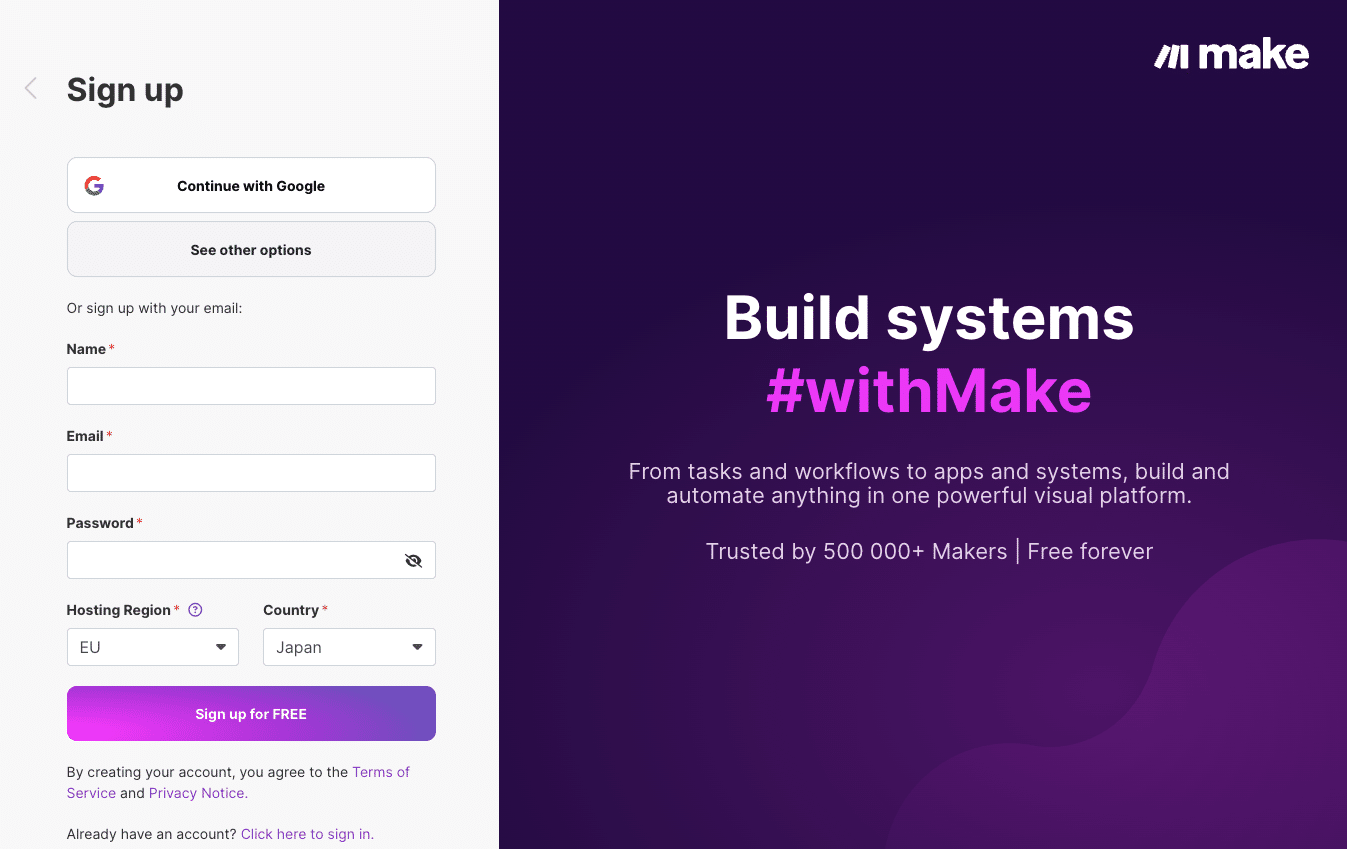
When you click the link above, a sign-up form like the one below appears.
Options:
If you have a Google account: click "Continue with Google"
If you don’t have a Google account: enter your Name, Email, and Password on the left side of the screen and click "Sign up for FREE"
Step 2: Sign In with Google
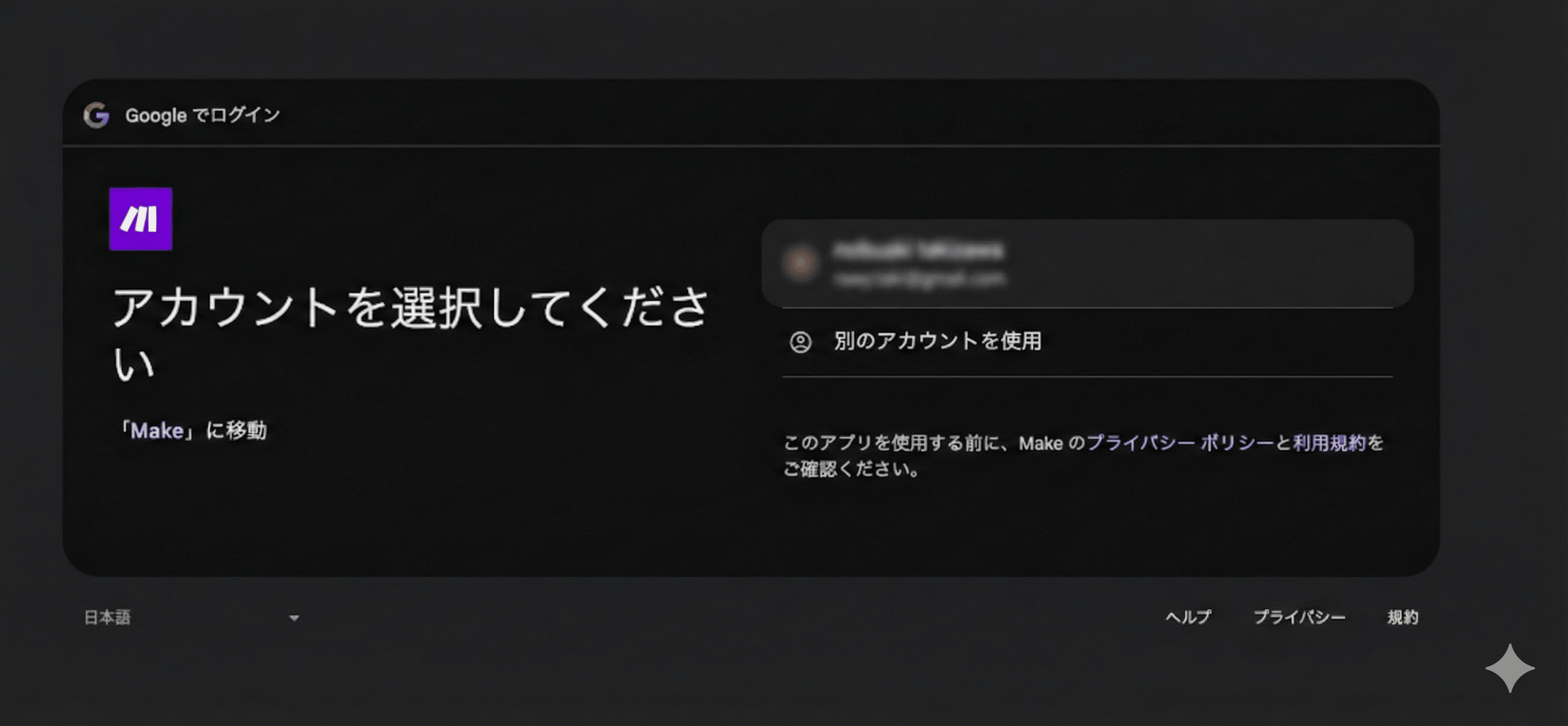
If you use a Google account, the screen below appears. Click the email address you want to connect.
Step 3: Confirm Permissions
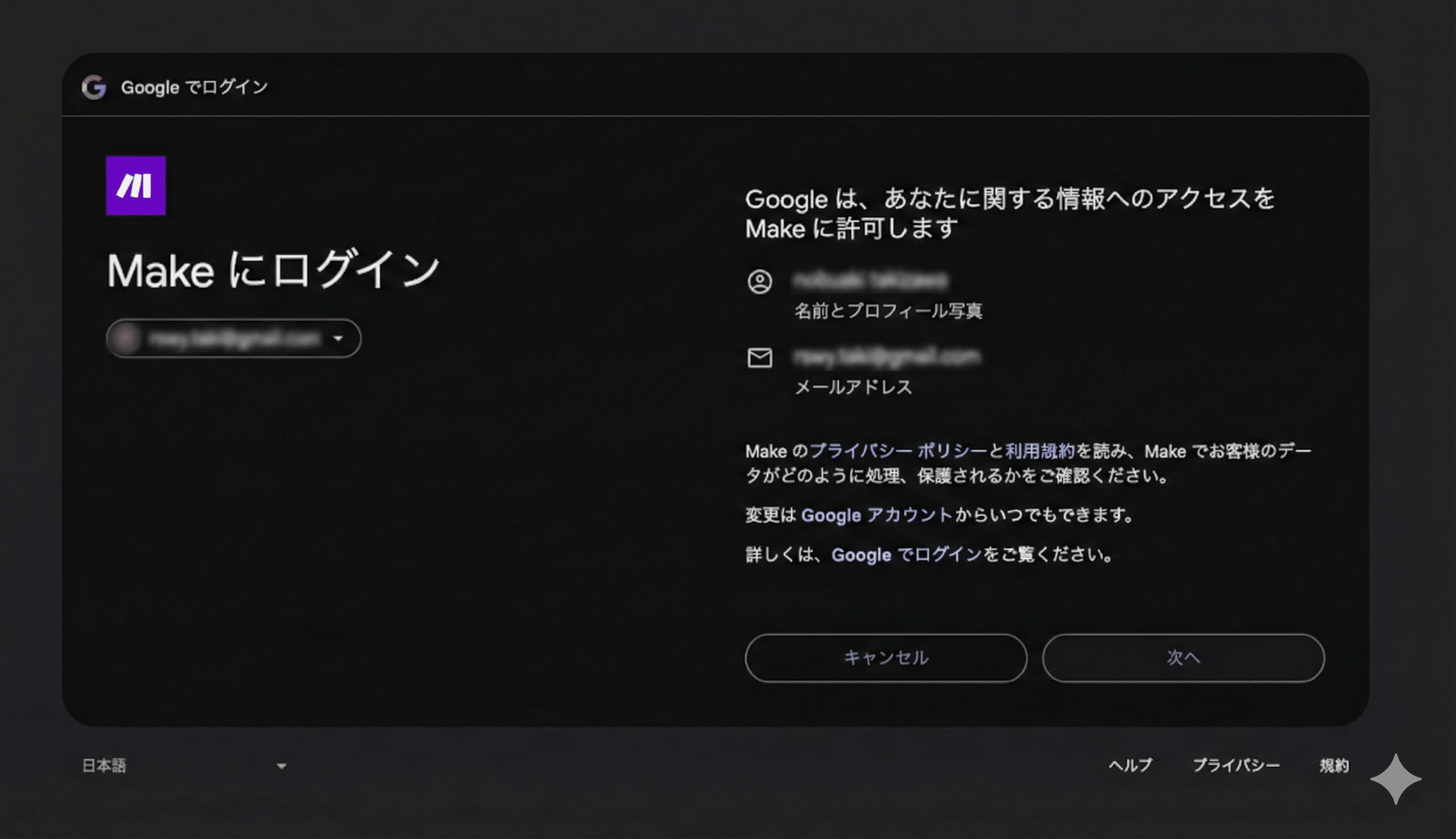
Agree to allow Make to access your name, profile picture, and email address. Click “Next” (or “Continue”).
Step 4: Sign Up
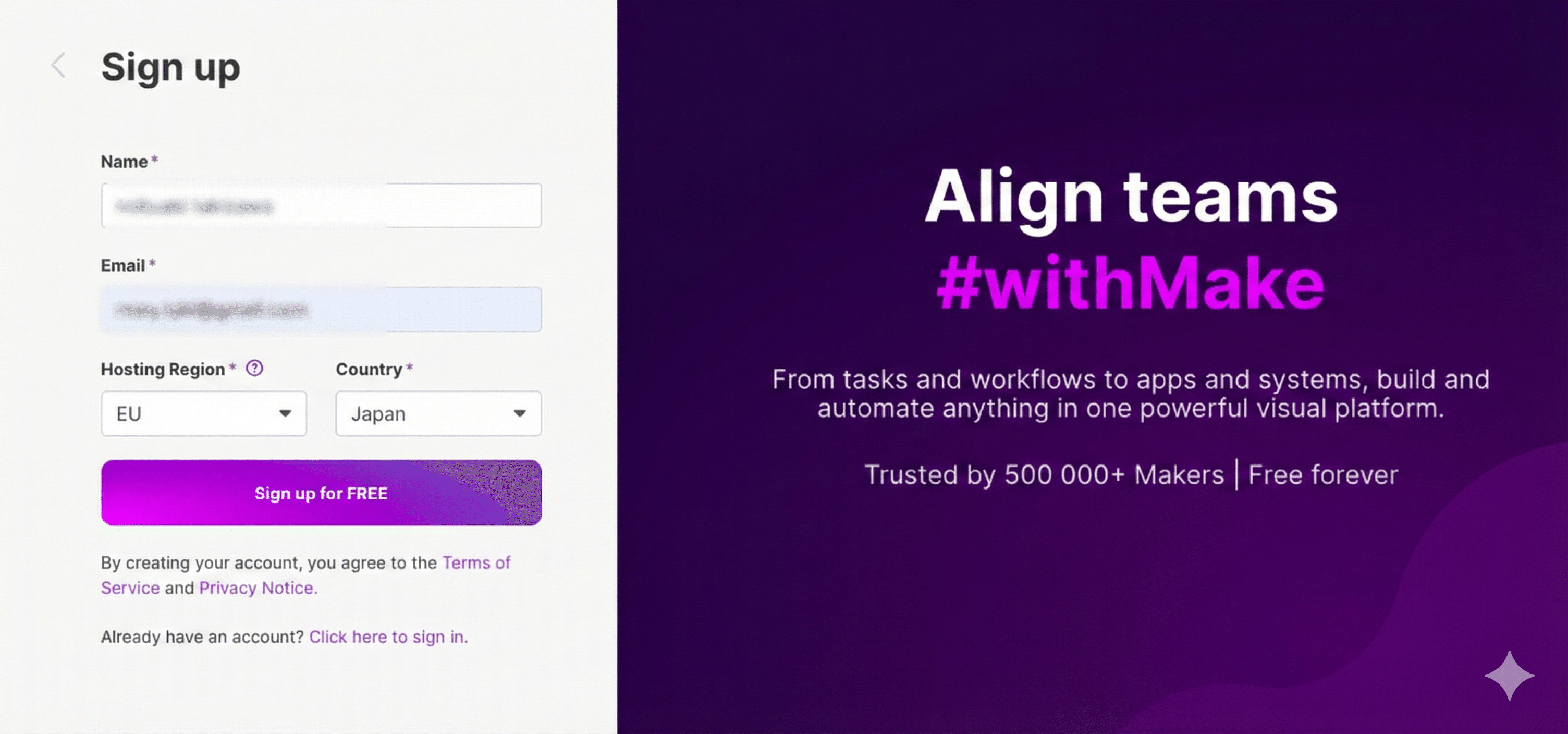
The Sign Up screen appears. Check that your Name and Email are correct, then click "Sign up for FREE".
* If you have no preference, you can leave Hosting Region as is. Country should be preselected based on your location, so you can leave that as is too.
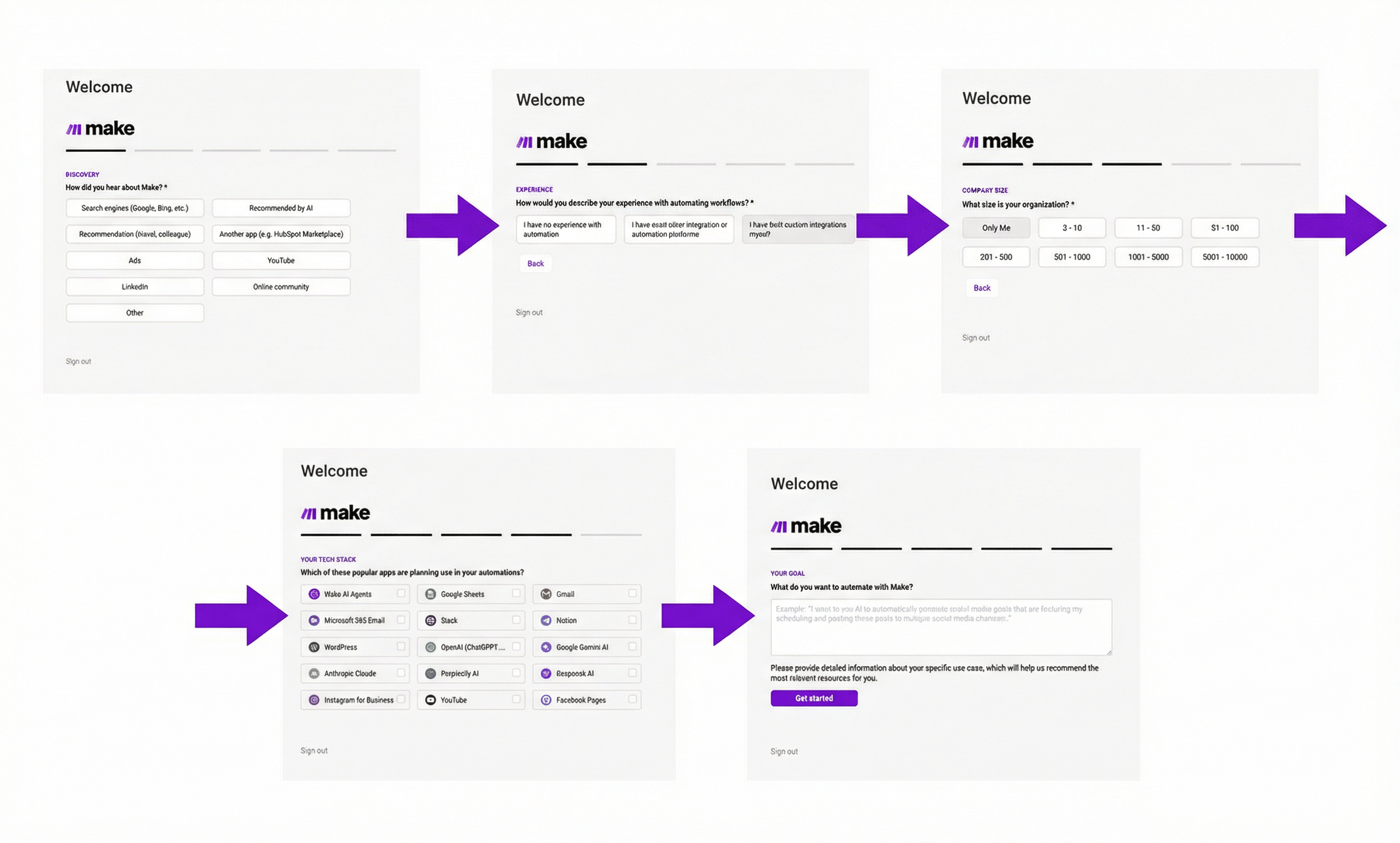
Step 5: A Few Questions (Almost There!)
A short questionnaire appears. There are currently five questions. Choose an answer for each and click Next.
Done! The Make Dashboard
Great job! Once you answer everything, the Make home screen finally appears!
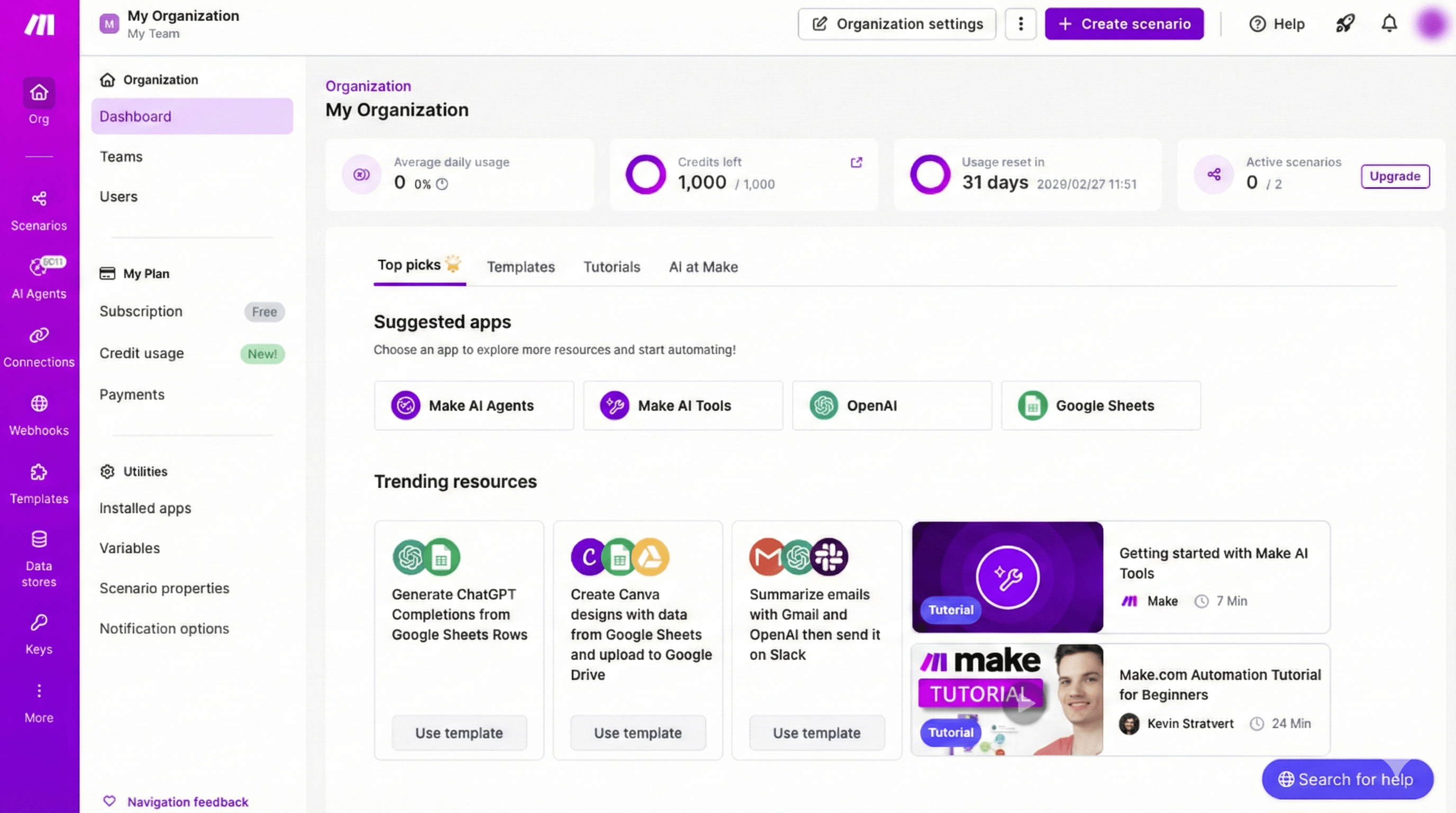
Admittedly, nothing happens just by creating an account. But now you’re ready! Let’s take the next step!
🎓Learn the Basics at Make Academy
Once you have an account, the next step is Make Academy.
It’s Make’s official free learning program, where you learn hands-on while watching videos.
It’s in English and focuses on screen operations, so it’s easy to follow visually.
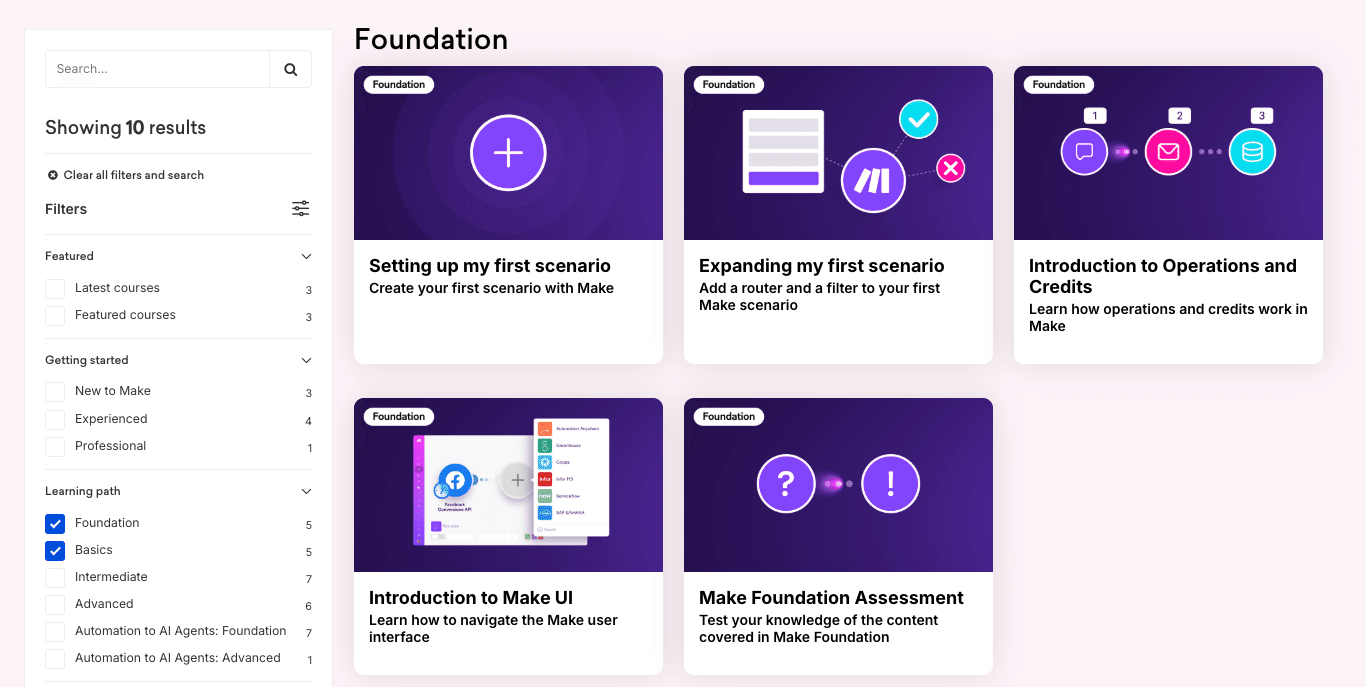
Go to Make AcademyAt Make Academy, you can filter content on the left side of the screen. If you’re a beginner, start by selecting Foundation and Basic under Learning path.
Start Here: The Foundation Course
The first thing to work through is the Foundation course: four lessons plus one test.
1. Setting up my first scenario
Build your first scenario. This is where everything starts.
2. Expanding my first scenario
Add routers and filters to your scenario, and learn how branching works.
3. Introduction to Operations and Credits
How operations and credits work in Make, so you know how much you can do on the free plan.
4. Introduction to Make UI
How to read the screen and get around. A map so you don’t get lost.
5. Make Foundation Assessment
Check your understanding of Foundation. It doubles as a review.
Next Step: Three Lessons from the Basics Course
Once you finish Foundation, work through just three lessons from the Basics course.
1. Introduction to Modules
What modules are in Make. Knowing the types of building blocks expands what you can build.
2. An Introduction to data types and data structures
Data types and structures. A bit abstract, but once you grasp them, you can apply them in many ways.
3. Transforming Data Using functions
What functions are. Learning to transform data with functions lets you change data into the form you want to display or store.
The Basics course has more videos, but start by building foundational knowledge with these three. If you find yourself wanting to know more, you can continue then. There’s no need to rush.
🧠Materials for Developing “Programming Thinking”
Learning to operate Make and understanding why it works the way it does are slightly different things. Knowing the thinking behind a tool, not just how to use it, dramatically improves your ability to apply it.
So I am sharing supplementary materials I created to strengthen practical skills. They are all available as PDF downloads (in Japanese), and I hope you find them helpful.
📊1. Introduction to Process Organization
“When an inquiry comes in from the website, take a look and handle it.”
Between humans, this instruction works. For systems and robots, it doesn’t.
This material explains how to turn vague business instructions into organized processes using flowcharts and swim lanes. Tools such as n8n can now have AI build workflows automatically when you present such an organized process. This will be an essential skill for IT Optimizers going forward.
ProcessNotation_Basic.pdf (17.7 MB)🗄️2. Introduction to Data Modeling
“Why is information stored in separate pieces?”
We want to put everything on a single Excel sheet. That’s human intuition. But systems run on a different logic.
Using a receipt as an example, this material explains the basics of data structures such as parent–child and one-to-many relationships. For anyone who wants to understand what goes on behind a system.
DataModeling_Basic.pdf (13.5 MB)💻3. Introduction to the Programming Brain
Programming isn’t magic; it’s translation.
Converting business procedures into language a robot can understand: that is the essence of programming.
This material explains three basic concepts, variables, branching, and loops, mapped to the Make interface. For anyone who wants to build the ability to construct logic.
Programming_Basic.pdf (14.7 MB)🎯4. The Courage to Release at 80%
“I want to handle every pattern.” “I want to handle every exception perfectly.”
Is that conscientiousness bringing your projects to a halt?
This material explains the hidden costs of perfectionism and the idea of an MVP (minimum viable product). It’s a mindset guide to give a push to anyone who feels they can’t get started.
SpeedOverPerfection_Basic.pdf (11.4 MB)📝Summary: Doing Over Studying
The steps we introduced
Create a free Make account
Start by getting your hands on the tool
Watch Make Academy’s Foundation (5 lessons) and Basics (3 lessons)
Build a solid foundation with the official learning program
Reinforce the underlying thinking with supplementary materials and build practical skills
Process organization, data modeling, programming thinking
The right attitude
Try things even if you don’t fully understand. Errors are fine. It’s okay if your scenarios don’t work well at first.
I believe the experience of “I gave it a try” leads to your next round of learning.
🚀Finally
All you need is the courage to take the first step!
Why not create a Make account?
Create a Free Make Account Here📚Looking Back on the Series
The “IT Optimizer” role is not only not yet established; most people still ask, “What’s that?” We are far from our goal.
Through this blog and various other activities, I want to keep growing the number of people interested in IT Optimization, connect with them, share knowledge, and build this new possibility together.
If we can keep learning through practice, sharing, and improving how we optimize processes and IT environments, and create 1 million IT Optimizers, I believe the impact on society will be significant.
I hope this series has been a first step toward understanding the new role of the IT Optimizer.
Articles in This Series
Want to Learn More About IT Optimizers?
We can discuss how to get started on your actual projects, with concrete examples.
Start with a Free 30-Minute Consultation